

Cosmobiology is an astrological system that relies heavily on midpoints as well as some other features. Sirius provides extensive features for cosmobiology in forecasting, AstroMaps, etc. which are described on other website pages.
An interactive cosmobiology dial is available for any wheel style which has a large enough wheel for the midpoint structures to fit. Shown below is one example of a 90 degree dial with a wheel style that includes an aspect grid and some listings of planets.
 Astrology Methods in Sirius

- Overview
- Modern
- Medieval
- Hellenistic
- Cosmobiology Dials
- Vedic
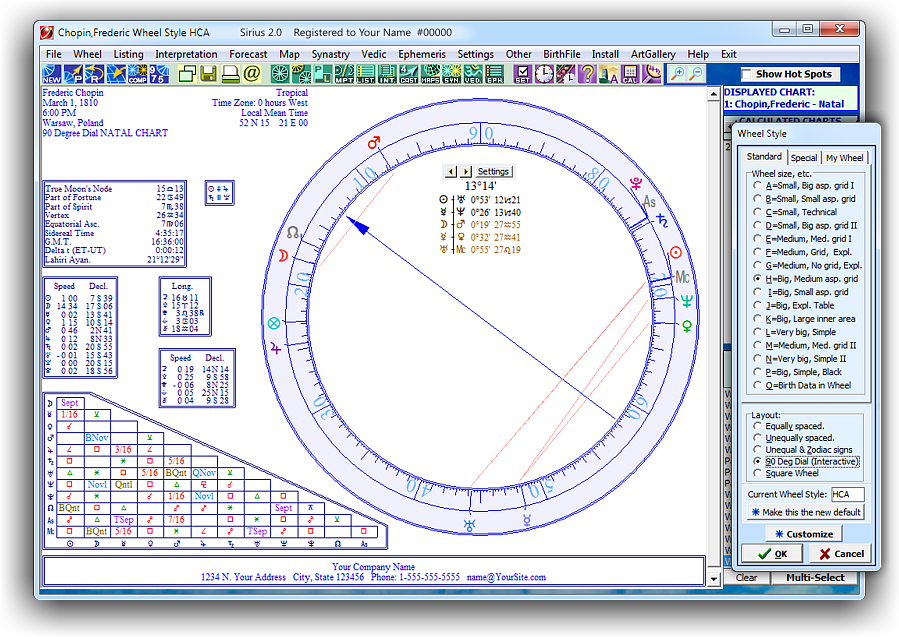
Animated 90° Dial
Creating a 90 degree dial in Sirius is extremely easy, fun, and exciting. You can also easily change the color of the wheel: Simply right click on the wheel, select "90 degree dial" then click on "Customize" then select the Color Scheme that you want to use. Yes, it is that simple.
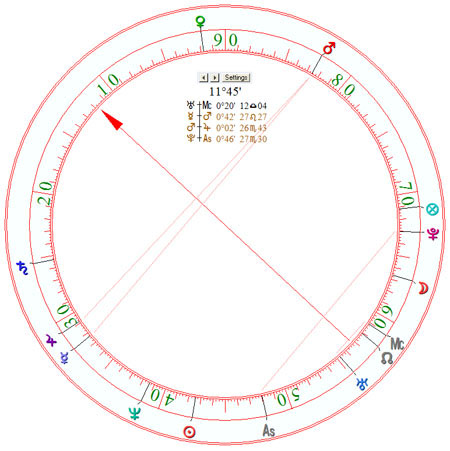
Shown right is a sample of a regular 90 Degree Dial Wheel.
The 90 degree dial is calculated by taking the position of a planet and subtracting out multiples of 90 degrees.
For example, a planet at 20 degrees of Libra in 360 degree notation is at 200 degrees, and subtracting multiples of 90 degrees (in this case, 180 degrees) results in a 90 degree dial position of 20 degrees.
Planets that are conjunct, opposition, or square in the natal chart are conjunct in a 90 degree dial. The 90 degree dial, therefore, is useful when you want to see planets in hard aspect (that is, conjunct, opposition, or square).
Planets that are semisquare or sesquiquadrate appear as opposition in the 90 degree dial.
A 90 degree dial is similar to a 4th harmonic chart. In both the 90 degree dial and the 4th harmonic chart, for example, planets that are conjunct, opposition, or square appear as conjunct. The 90 degree dial is easier to calculate manually.
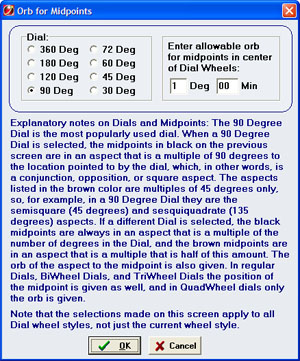
The 90 Degree Dial in Sirius is not only a chart wheel style that you can view, but also a chart wheel that you can work with interactively:
- with a Dial Pointer that you can move to see midpoint structures to any point on the dial.
- When a 90 degree dial is selected, the midpoints in black on the previous screen are in an aspect that is a multiple of 90 degrees to the location pointed to by the dial, which, in other words are the following aspects, a conjunction, opposition, or square.
- The aspects listed in brown color are multiple of 45 degrees only. For example, in a 90 Degree Dial they are the semisquare (45 degrees) and sesquiquadrate (135 degrees) aspects. You can also select other Dials such as the 120 Degree, 60 degree, etc. Dials.
- If a different dial is selected, the black midpoints are always in an aspect that is a multiple of the number of degrees in the Dial, and the brown midpoints are in an aspect that is a multiple that is half of this amount.
- There are 4 kinds of Dials: Regular, BiWheel, TriWheel, and QuadWheel.
- Dial can be 360 Deg, 180 Deg, 120 Deg, 90 Deg, 72 Deg, 60 Deg, 45 Deg, or 30 Deg
- The orb of the aspect to the midpoints can be changed to any orb that you want to use.
- In regular Dials, BiWheel Dials, and TriWheel Dials the position of the midpoint is given as well, and in QuadWheel Dials only the orb is given.